vSeeBox vs Firestick vs Roku: Which Streaming Device Is Right for You?
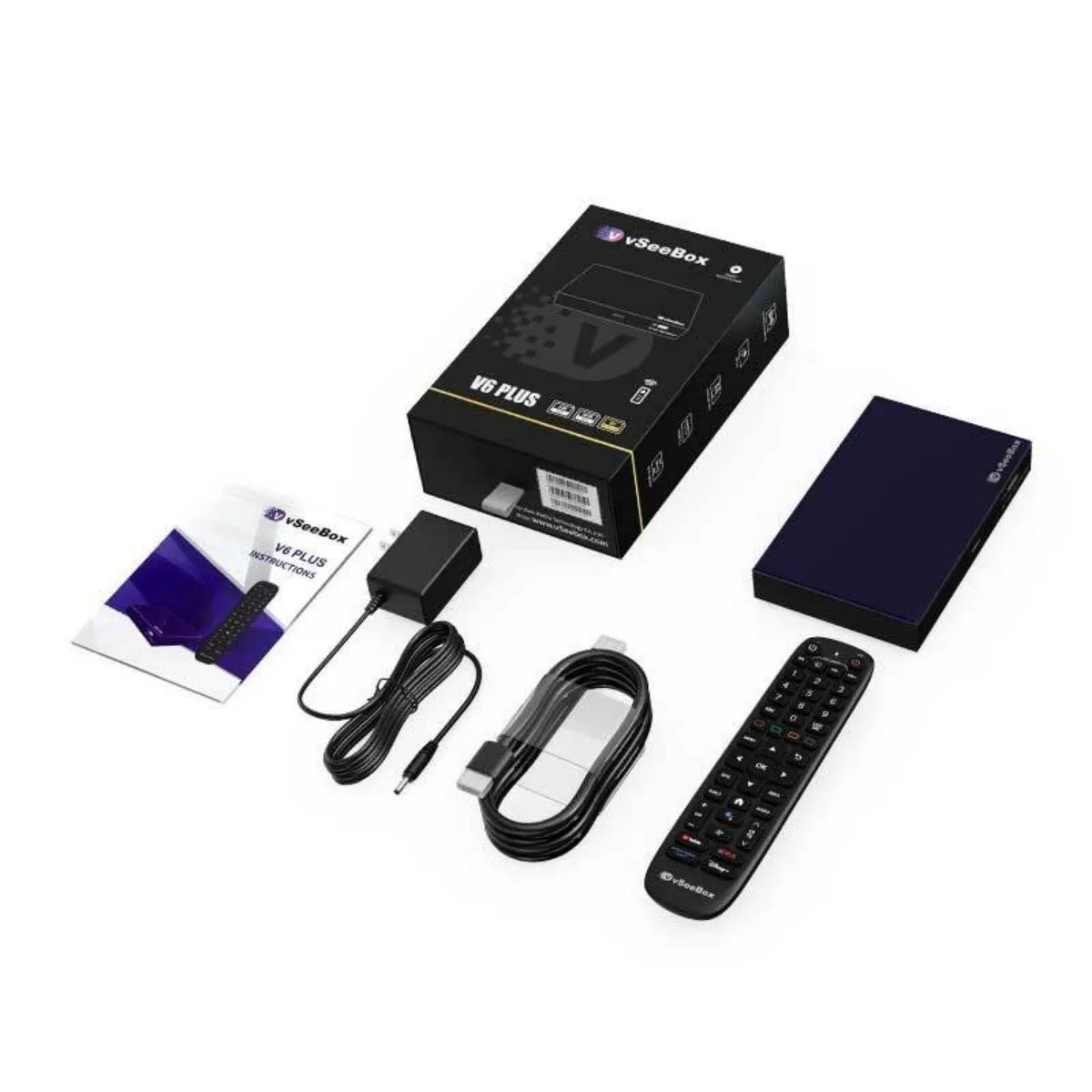
If you are deciding between a vSeeBox, an Amazon Fire TV Stick and a Roku, you are really choosing between two kinds of device: a full-size Android box with lots of storage and ports, and a small, inexpensive stick built around one company's app store. Both are good at different things.
Here is an honest comparison so you can pick the right one for your TV — even if that isn't a vSeeBox.
The quick answer
Choose a streaming stick if you want the lowest price, only use a handful of mainstream apps, and are happy with WiFi only. Choose a vSeeBox V6 if you install many apps from Google Play, want 32–64GB of storage, want Ethernet and USB ports, or want features like split screen (V6 Plus).
Side-by-side comparison
| vSeeBox V6 line | Typical streaming stick | |
|---|---|---|
| Form factor | Full-size box | Small stick behind the TV |
| Operating system | Android 14 with Google Play | Vendor platform (Fire OS, Roku OS) |
| Storage | 32GB (Pro) or 64GB (Plus, Max) | Usually 8–16GB or less |
| RAM | 4GB | Usually 1–2GB |
| Ethernet | Built in (gigabit on Plus and Pro) | Usually needs an adapter |
| USB ports | Two, for drives up to 2TB | Usually none |
| WiFi | WiFi 6 dual-band | Varies by model |
| Price | $349–$389 | Much lower |
Where a vSeeBox wins
- Storage: 64GB on the V6 Plus and V6 Max gives room for many apps without constantly uninstalling.
- Ports: built-in Ethernet and two USB ports for external drives up to 2TB.
- Open Android: Android 14 with Google Play rather than a single retailer's store.
- Video decoding: up to 8K@60fps HDR on the V6 Plus and V6 Max.
- Split screen: the V6 Plus can show two apps at once.
- Support: buying from an authorized US distributor gives you phone support and a 1-year warranty.
Where a streaming stick wins
- Price: sticks cost a fraction of a vSeeBox.
- Size: a stick hides completely behind the TV.
- Simplicity: if you only use two or three big-name apps, a stick does the job.
- Integration: sticks tie neatly into their maker's ecosystem and smart-home devices.
What's the same
Whichever you choose, you still pay for your own streaming subscriptions. A vSeeBox does not include channels or services; it runs the apps you install with your own accounts, the same way a Firestick or Roku does. Anyone promising otherwise is not describing a legitimate product.
Which vSeeBox to compare with a stick
If you are upgrading from a stick because it runs out of storage or struggles on WiFi, the vSeeBox V6 Max is the natural step up: 4GB RAM, 64GB storage and MIMO WiFi 6 for $349. If you want the most capable box, the V6 Plus adds split screen and gigabit Ethernet. For a wired 4K setup at a middle price, the V6 Pro has gigabit Ethernet and USB 3.0.
Setup and everyday use
Setting up any of these devices takes a few minutes: plug into HDMI, connect to WiFi, sign in. A vSeeBox needs its own power supply and a spot near the TV, while most sticks draw power from a USB port or small adapter. Day to day, the biggest difference you will notice is storage — on a stick you may have to uninstall apps to make room, while the 64GB V6 Plus and V6 Max rarely run out. See our vSeeBox setup guide for the full walkthrough.
Frequently asked questions
- Is a vSeeBox better than a Firestick?
- It has more storage, more RAM, Ethernet and USB ports, and runs Android 14 with Google Play. A Firestick is cheaper and smaller. Which is better depends on how many apps you use and whether you want a wired connection.
- Is vSeeBox better than Roku?
- Roku is simple and inexpensive. A vSeeBox offers open Android with Google Play, 32–64GB storage and more ports for a higher price.
- Do I still need subscriptions with a vSeeBox?
- Yes. Like any streaming device, you use apps with your own accounts and subscriptions.